 App FAQ AMLHub Frequently Asked
Questions
App FAQ AMLHub Frequently Asked
Questions
- Open the App Store from the home screen of your iPhone.
- Search for ‘amlhub’.
- The following application will appear as a search result.
- Tap 'get' (or tap the cloud icon if this app has been previously downloaded)
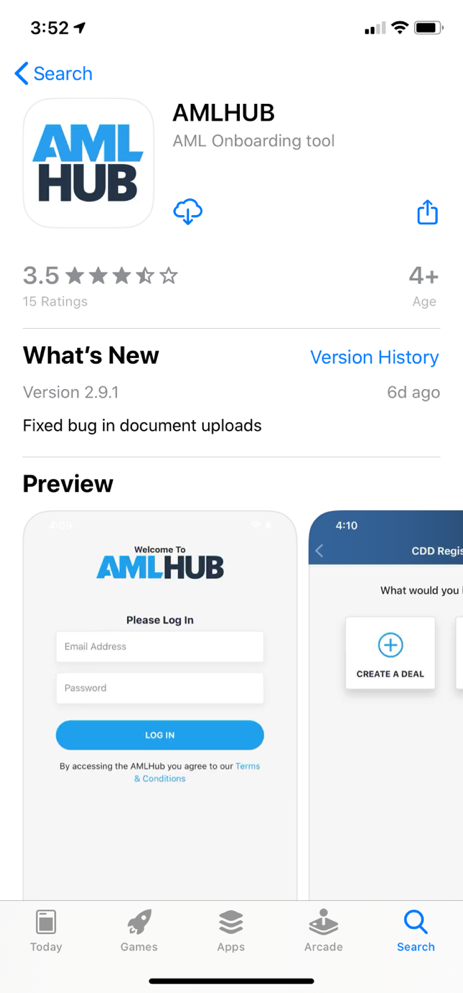
Please Note: your iPhone must have iOS 11 or higher software in order to download the app. Additionally, your phone region must be set to New Zealand in order to be able to search for the app in the App Store
Any iPhone or iPad with iOS 11 software or higher is able to download the AMLHub app from the App Store.
You can check your version of iOS in the Settings app, under General --> About.
Upon the creation of a user account in the AMLHub, new users are sent an email to verify their email address and create a password. This email can sometimes be filtered to junk mail, depending on security settings. If you cannot find this verification email in your primary inbox, please check your junk mail. You will not be able to log into the AMLHub until you have created a password from this verification email. Once this has been done, your user status will change from “pending” to “active”.
- Open the Google Play Store from the home screen of your Android device.
- Search for ‘amlhub’.
- The following application will appear as a search result.
- Tap ‘install’.
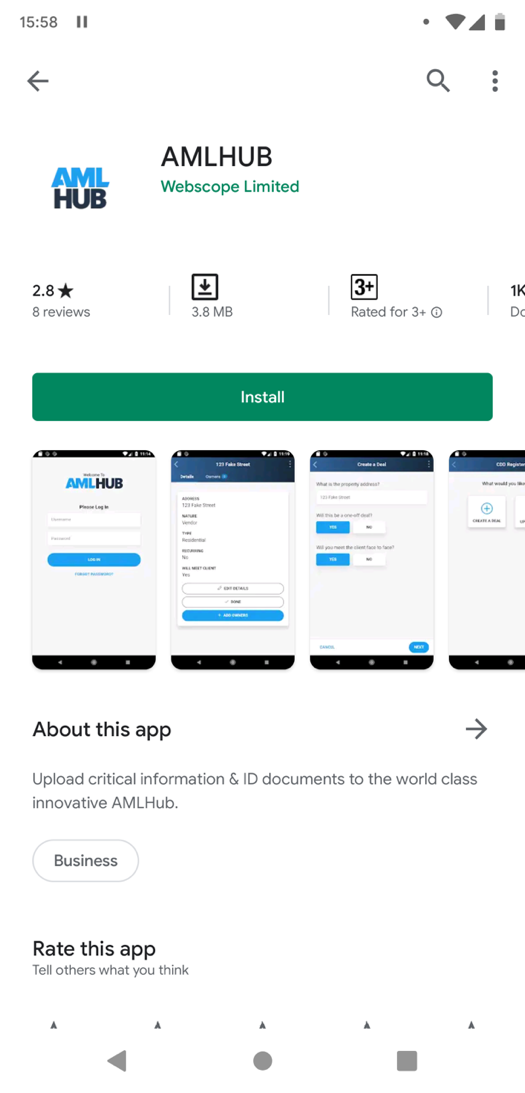
Please note: your Android device must have Version 5 or higher software in order to download the app. Additionally, your phone region must be set to New Zealand in order to be able to search for the app in the Google Play Store.
Following the creation of your user account, you will be sent a verification email from the AMLHub. If you cannot find this email in your primary inbox, it may be in your junk mail or spam folder.
- Ensure the email is in your primary inbox, this may mean it has to be moved from your junk mail or spam folder.
- Click ‘verify email’.
- Set your password (minimum of 8 characters).
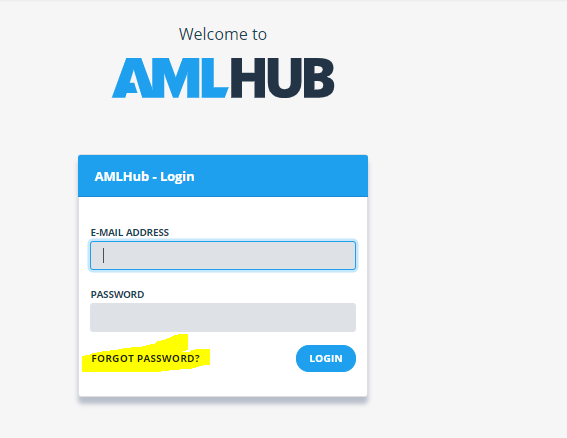
Your user account is now verified; you can log in to the AMLHub app with your email address and password.
Following the creation of your user account, you will be sent a verification email from the AMLHub. This email can sometimes be filtered to junk mail, depending on security settings. If you cannot find this email in your primary inbox, please check your junk mail.
You will not be able to log into the AMLHub until you have created a password from this verification email. Once this has been done, your user status will change from “pending” to “active”.
If you are unable to log in to the AMLHub app or desktop due to either forgetting your password or entering an incorrect one, this can be reset from the AMLHub desktop login page.
- Visit the AMLHub desktop login page (amlhub.co.nz).
- Click ‘forgot password?’
- Enter the email address associated with your user account.
- Click ‘send reset link’.
- You will be sent an email allowing you to reset your password. If you cannot find this email in your primary inbox, it may be in your junk mail or spam folder.
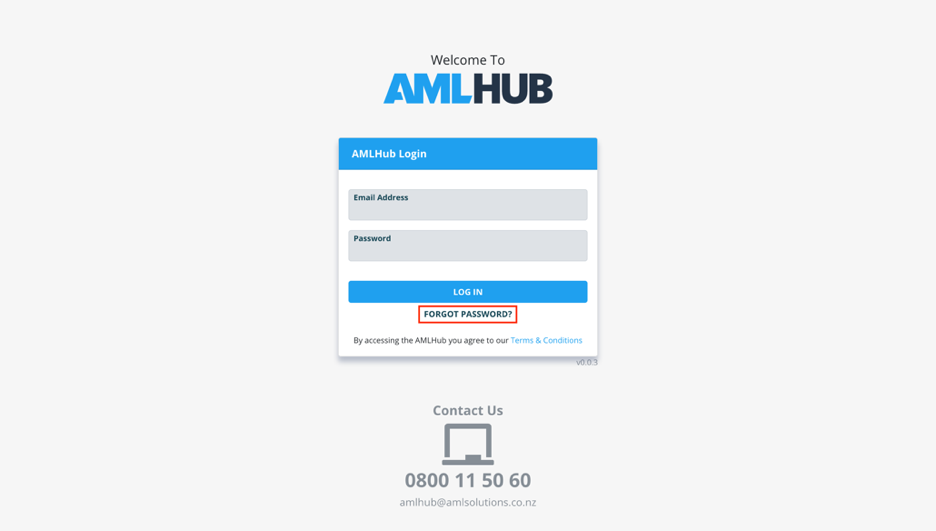
If you are able to log into the AMLHub, you can reset your password from the AMLHub desktop homepage.
- Click on the blue downwards arrow icon, found to the right of your name in the top right-hand corner of the screen.
- Click ‘profile’.
- Click ‘request password reset’.
- A pop-up message will appear to signal a password reset email has been successfully sent to the email address associated with your user account. If you cannot find this email in your primary inbox, it may be in your junk mail or spam folder.
Yes. The app requires you to be in cellphone coverage (with data or WiFi) when uploading or editing information. If you use the app when not in coverage, the information entered will not save.
Creating a deal can be done from the homepage of the app, where it will display two options: ‘create a deal’ and ‘update a deal’.
- Tap ‘create a deal’.
- Enter a deal name/the address of the property being sold. If a deal name or address is not recognised in the drop-down menu of the database, this can be entered manually. Select either ‘yes’ or ‘no’ to whether this will be a one-off deal. Tap ‘next’.
- Select the type of deal from the list displayed. Tap ‘next’.
- Select the purpose of the deal. Tap ‘next’.
- Select whether you are acting for the purchaser or vendor. Tap ‘next’.
- Select the expected duration of the deal. Tap ‘next’.
- Select the deal’s volume. Please note: this field must be completed before one can proceed to verify the deal at a later stage. Tap ‘next’.
- Enter the estimated low-end and high-end values. Please note: these fields must be completed before one can proceed to verify the deal at a later stage. Tap ‘next’.
- Select either ‘yes’ or ‘no’ to whether you would like the CDD for this deal to be outsourced. If unsure upon creation as to what to select, this field can be left unselected and filled in at a later stage if need be. Tap ‘next’.
- Select which branch you would like this deal to be created under. The branch(es) you are assigned to will be displayed in a list. Tap ‘next’.
- Tap on the name of every user you would like to assign to this deal. Sales agents will only be able to view and edit deals in the CDD register of the AMLHub desktop and/or their ‘Update a Deal’ section of the AMLHub app that they have been assigned to. Senior staff members such as the AMLCO, SO, AML ADMIN etc. are able to view all deals in the CDD register of the AMLHub desktop, however, must be assigned to the deal if they want to be able to view and edit the deal through the app. Tap ‘next’.
- A summary of the deal’s details will be displayed on the following page. Tap ‘save’.
- You will be directed to the ‘Details’ tab of the deal that has just been created.